 TheTracker
Your matches,
tracked as you play.
TheTracker is a free Windows app for Dota 2, Deadlock, Counter-Strike 2, Overwatch, PUBG, Call of Duty and Valorant. Live stats, a review of every match, your history and the meta, all in one place.
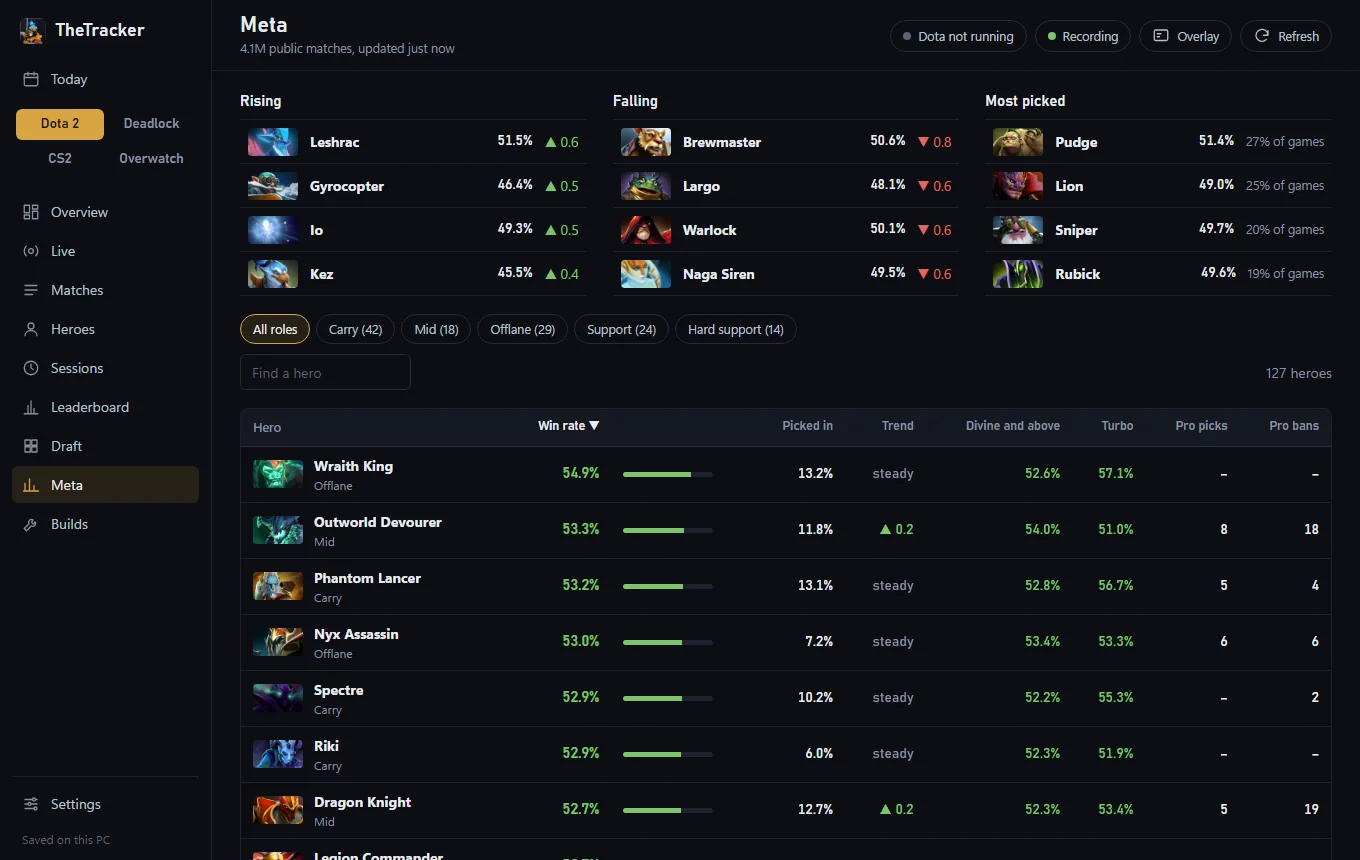
One app, seven games
Switch on the games you play. The rest stay out of your way.
Dota 2
Follows your match live: last hits at every 5 minutes against your own averages, each death and the gold it cost, item timings and your goals. Plus history, heroes, the meta and builds.
Deadlock
Your overview, matches with full scoreboards, heroes, the hero and item meta, builds, and Deadlock Live: the top live matches with the streamers on each hero.
Counter-Strike 2
Round by round as you play: kills, damage, headshots, weapons, what you bought and how each round ended. Win rates by side, buy and map.
Overwatch
Career stats by mode, role and hero from your public profile, the hero meta with your own win rate beside it, and your sessions and ranks over time.
PUBG
From PUBG's official API: season and ranked stats, your recent matches with your squad, and a review of each one: where you landed, how every knock and death happened, and blue zone damage.
Call of Duty
Black Ops 7, Warzone and Modern Warfare 4. Activision shares no stats with apps, so you log each match in one line, and TheTracker times your sessions and reviews your log.
Valorant
Your rank, RR and acts, every match with both scoreboards, and a review of each one: impact, first deaths, utility, trades and clutches. Every match you load is kept, so your history keeps growing.
Made for while you play
- In-game overlayA small see-through window over Dota 2 that counts down to runes, lotuses and the stack pull for your role, and flashes as each one gets close.
- Match reviewsEvery Dota 2, Deadlock, PUBG and Call of Duty match checked against your own games, with what went wrong and a list of things to work on across your last matches.
- Pro settingsVideo, audio and hotkey presets for Dota 2, Deadlock, CS2, PUBG and Call of Duty, built from pros' published settings. Every file is backed up first, and one click puts it back.
- Connection checkTells you whether lag comes from your home network, your internet provider or a busy line, all the time or only in games. Game mode can also slow background uploads while you play.
- TodayOne page with today's and this week's record, streaks and your last match in every game.
- Compare and sharePut a friend's public numbers next to yours, and save your form or a match as a picture.
- LeaderboardYour best recorded games, and a shared board if you sign in.
- NotificationsA Windows notification when a Dota 2 or CS2 match is saved, if you want one.
Plays fair
TheTracker never reads game memory. Dota 2 and CS2 send your own match state to the app through Valve's Game State Integration, and history comes from public sources like OpenDota, the Deadlock API, OverFast, PUBG's official API and, for Valorant, the HenrikDev community API. Call of Duty has no public stats, so those matches are the ones you log. It shows nothing about other players that the game doesn't already show you.
Questions
Anything else? Ask on GitHub.
How do I link my account?
Sign in with Steam on Steam's own page, so the app never sees your password. That links Dota 2 and Deadlock. Overwatch connects with your BattleTag (your profile needs to be public), PUBG with your in-game name, and Valorant with your Riot ID.
Why do I log Call of Duty matches myself?
Activision doesn't share match stats with apps. Logging takes one line (game, mode, result, kills and deaths, then Enter), and everything else, from sessions to reviews, is worked out from it.
Does it record games when it's closed?
No, only matches played while it's running. It can start with Windows and wait quietly in the tray.
Where does the Valorant data come from?
Riot only opens its own match API to apps it has approved, so TheTracker reads your public matches and rank through HenrikDev's community API, with its key kept on TheTracker's server. Names and pictures come from valorant-api.com.
Where is my data kept?
On your PC, in %APPDATA%\TheTracker. Settings → General can back it up and restore it.
How does it update?
It updates itself, and checks the signature of every update before installing it.
Track your next game
Free, for Windows.